
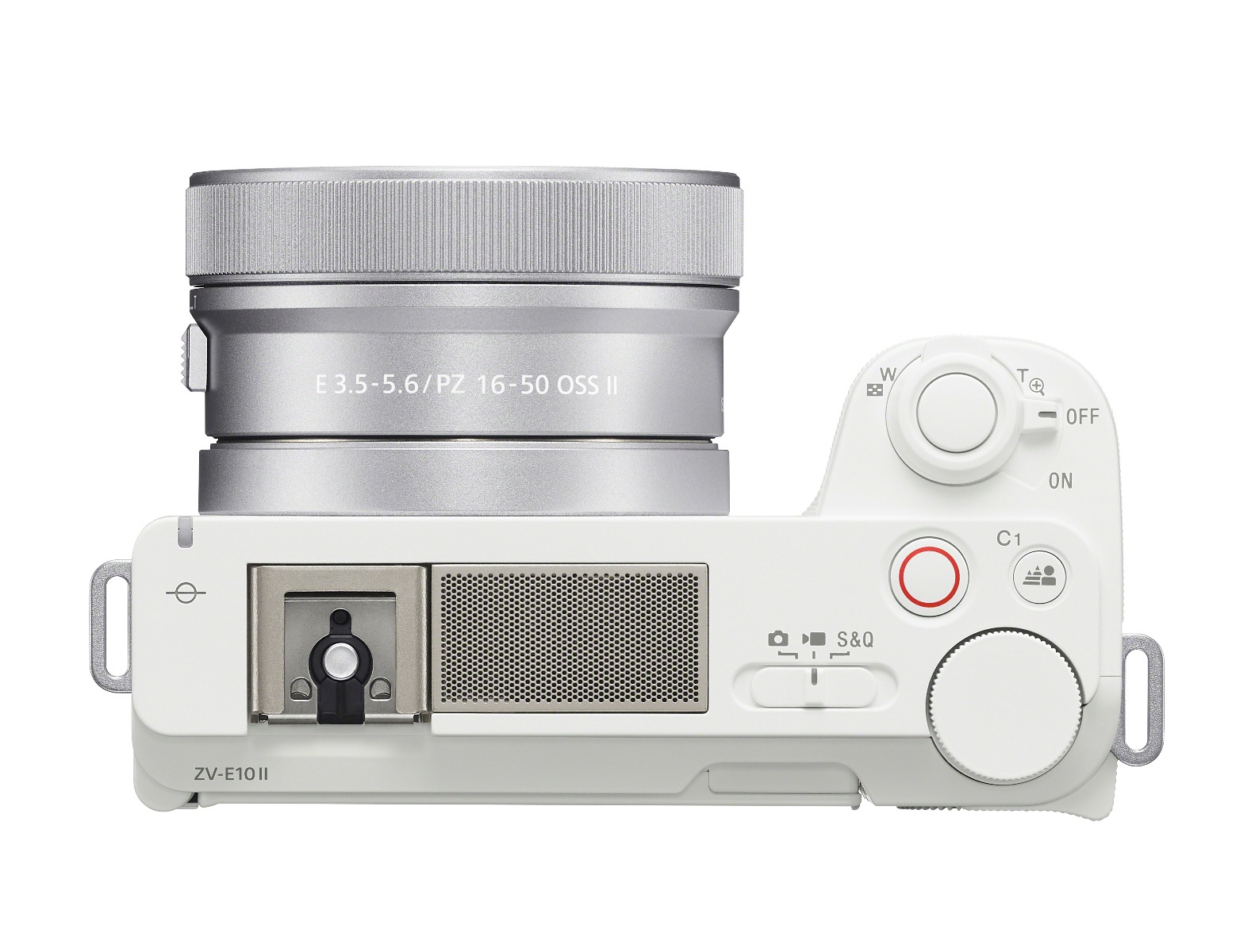
SONY ZVE10 II with 16-50mm Kit Lens (White)

Product code:
SON930179
Pre-Order Items
You Pay
$1,098.00
Price:
$1,298.00
$200.00
Specifications
Sony Alpha ZVE10 II - APS-C Interchangeable Lens Mirrorless Content Creators’ Camera with 26MP1 sensor, 4K/60p2 video, fast hybrid autofocus, vari-angle flip-out LCD with rotating UI for vertical video
-

FREE SHIPPING
Any order over $50 *some restrictions apply

CALL OR EMAIL
For Support

EASY RETURNS
Hassle-free process

SHOP IN OUR SHOP
Visit our store
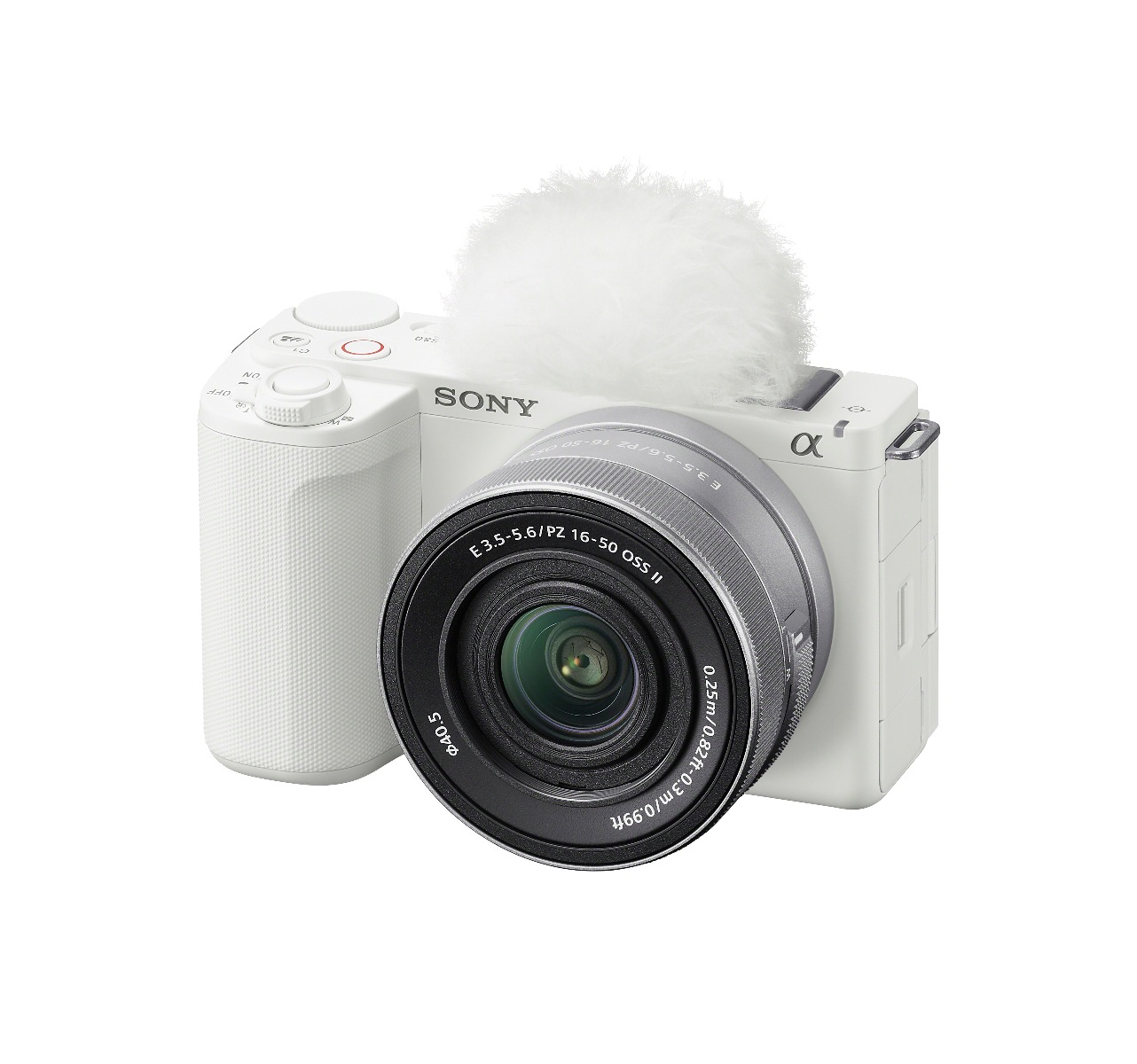




The ZV-E10 II features two key functions designed to produce premium-looking content straight from the
camera, Creative Looks and Cinematic Vlog Setting. When shooting both stills and videos, users can
instantly enhance their images by selecting any of the ten Creative Look options: Standard (ST), Portrait (PT), Neutral (NT), Vivid (VV), Vivid 2 (VV2), Film (FL), Instant (IN), Soft High-key (SH), Black & White (BW), and Sepia (SE). Each of these looks are further customizable and can be edited through eight different parameters, allowing creators to fine-tune their content. Once customized, creators can save up to six custom styles directly in the camera for easy access and reuse.
The ZV-E10 II allows creators to produce premium, cinematic video content with a single touch using the Cinematic Vlog Setting. This feature automatically adjusts the aspect ratio, frame rate, and AF transition speed to optimal settings for cinematic video capture. Additionally, creators can enhance their footage by selecting from five “Looks”, such as S-Cinetone which enhances skin tones, and applying one of four “Moods”, that emphasize specific colors, offering extensive options to maximize creative expression.
Key Camera Specifications:
- 759-point Focal Plane Phase-detection AFv with Real-time Eye AF for Human/Animal/Bird and Real-
time Tracking - Backside illuminated 26MP Exmor R CMOS sensor offering an ideal combination of high-sensitivity
and low noise with an ISO range from 100 to 32000vi - APS-C interchangeable lens camera compatible with over 70 Sony E-mount lenses
- High-speed readout, 5.6K oversampling compresses a vast amount of information into a stunning 4K
footage at up to 60pvii - Active Mode - electronic image stabilization employs a precision gyroscope and advanced algorithm
to accurately measure and compensate for camera shake, providing highly effective stabilization
without sacrificing mobility, even when shooting 4K - Upgraded large-capacity Z battery (NP-FZ100), allowing continuous movie recording is for up to 195
minutes per charge
Additional Features to Streamline Content Creation:
- New Vertical User Interface (UI) that auto rotates from horizontal to vertical orientation to
streamline vertical content creation. When paired with the vari-angle LCD monitor, users can create
and view their content from any angle - With 4K 60p capture and up to 120p capture in clear XAVC-S Full HD quality, the user can record
stunning motion sequences using the S&Q mode at 5x slow motion (24p playback) - Product Showcase Setting which delivers convenient shooting of product review videos with smooth
focus transitions from your face to the item being highlighted - Background Defocus Function to adjust the depth of field and create bokeh within the background
with a single touch - Face Priority Auto-Exposure immediately detects faces and adjusts the exposure to optimize facial
brightness, even while actively recording in changing lighting scenarios - Soft Skin Effect smooths the appearance and reduces blemishes on the subject’s skin
- Stress-free connectivity with the USB 3.2 Type-C® (SuperSpeed USB 5 Gbps) port also allows high-
speed wired transfer to a compatible smartphone or PC through the Creators App for easy post-
production and sharing on social media - Time-lapse sequences can be created in-camera and the exposure interval can be set from 1
second to 60 seconds - Advanced, onboard 3-capsule microphone with selectable directivity (previously debuted in the ZV-
E1) for capturing clear, high-quality audio. Users can select “Auto” or choose from “Front”, “Rear”, or “All Directions” for the audio directivity depending on the environment and recording scenario
settings - Supplied with the camera, is a windscreen to reduce noise when shooting in windy conditions
- Multi-interface (MI) shoe allows for simple connection to an external microphone for additional
audio options, if needed - Livestream through the support of 5 GHzxiv Wi-Fi connectivity
- Sony’s Screen Reader function which reads menus and video playback screens aloud to assist
operations and a menu Magnify Display function are included to provide accessibility solutions
| On Sale | Yes |
|---|---|
| VPN | ZVE10M2KW |
Write Your Own Review
You may also like
Back to Top

SONY ZVE10 II with 16-50mm Kit Lens - White | Dodd Camera
You Pay
$1,098.00
Price:
$1,298.00
$200.00