We use cookies to make your experience better. To comply with the new e-Privacy directive, we need to ask for your consent to set the cookies.

CALIBRITE ColorChecker White Balance
Product code:
CCC833100
Backorder
$89.00
 FREE SHIPPING
Any order over $50 *some restrictions apply
 CALL OR EMAIL
For Support
 EASY RETURNS
Hassle-free process
 SHOP IN OUR SHOP
Visit our store
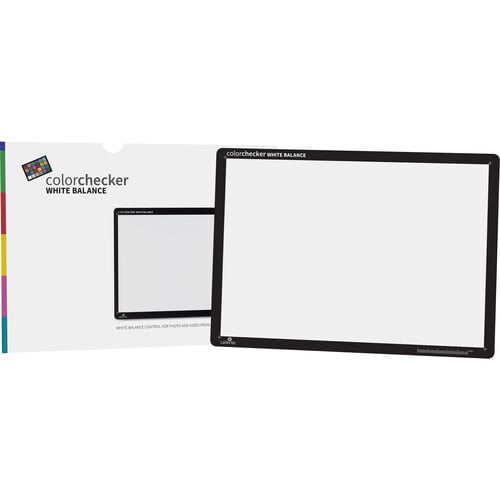
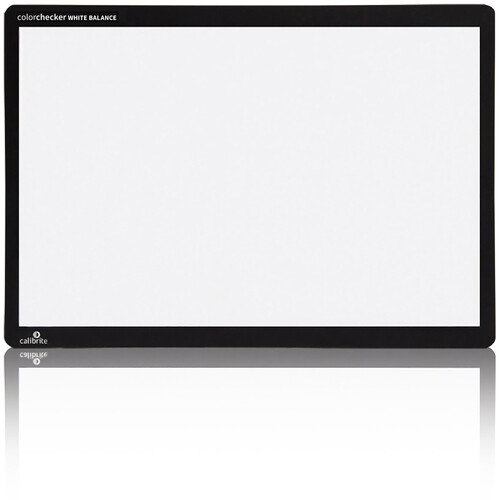
The Calibrite ColorChecker White Balance is an 8.5 x 11"-sized target for delivering accurate tonal response in a broad range of lighting conditions. It provides the needed standard for comparing, measuring, and analyzing differences in the white balance inherent in various processes, such digital camera sensors with customizable color profiles.
As lighting conditions change, your camera shifts the way it reproduces white, resulting in color shifts in your photos or video footage. ColorChecker White Balance also gives you a way to adjust your digital camera’s color sensitivity to exactly match the ambient lighting conditions. Setting a custom white balance for each lighting situation will make the previews on your camera’s built-in display more color correct, make your histograms more reliable, and speed up post-production color editing. Raw shooters can capture anytime during the session to gain these benefits, while JPEG shooters should make it your first shot.
Why can't I use just any white object?
White balancing on a piece of paper or other gray elements in the scene may seem like a simple workaround, but most objects are not actually neutral under all lighting conditions, and they're certainly not consistent. An inaccurate white balance will result in color casts and a lack of consistency between lighting conditions.
Calibrite ColorChecker White Balance Features
- Make post production color editing faster and easier by eliminating the need to neutralize each image individually
- Improve the color preview on your camera's display so your histograms are more reliable
- Eliminate color casts
- The actual color of the target is a light gray, which provides the best white balance result
| On Sale | No |
|---|---|
| VPN | CCWB |
Write Your Own Review